
Year 7A & Year 7B
Today you are going to look at electronic submission of work, through schoology.
Follow the instructions step by step:
1.
First, we will do a bit of marking…

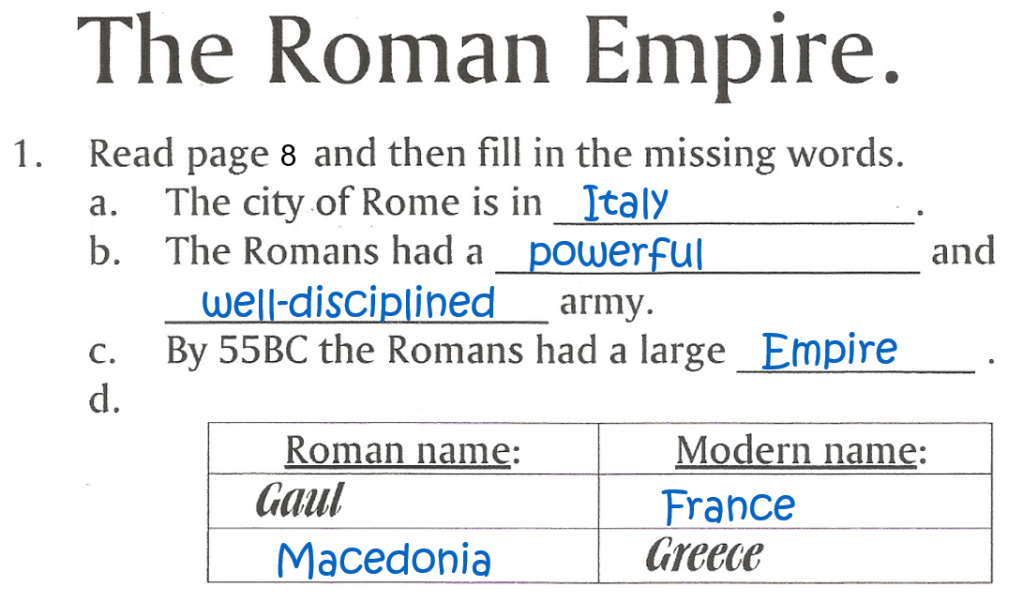
Mark the task on p.16.

2.
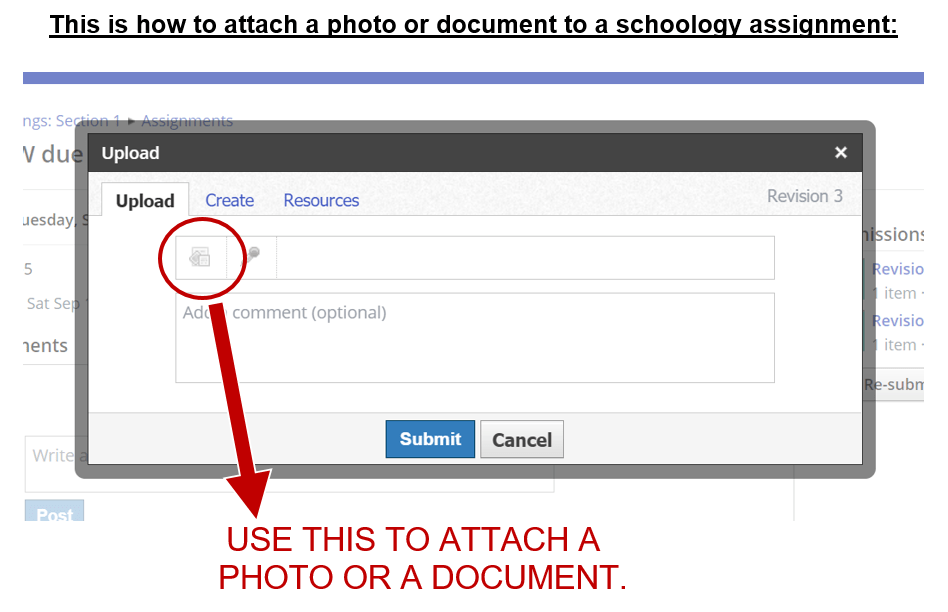
Sometimes you will be asked to upload tasks to Schoology Assignments. Do you know how to do this?

Submitting Assignments in Schoology (as Student). (1:18 minutes long)
3.
If you are still unsure, also watch this video clip:
How to Submit an Assignment in Schoology. (5:29 minutes long)
4.
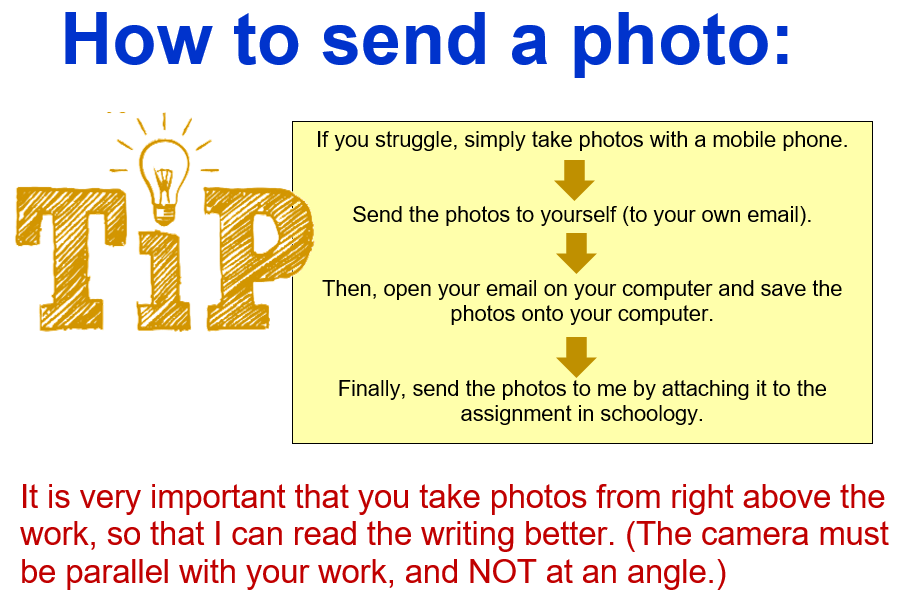
It is very important that the photo that you take are of excellent quality!
5.
So, to make sure that you do this correctly (and also for assessment purposes!!) you need to send me a photo of “My Timeline”. (This is the timeline of your life so far.) (Please take note: It is important that you ONLY send to me what I ask for.)
6.
Use the rest of the lesson to complete the worksheet on Sources, from the previous lesson.
Remember to send your “assignment” to me in Schoology!! ONLY SEND ME A PHOTO OF WHAT I ASKED FOR!! Also, your work must not be submitted late.. as this may result in half marks or even in zero…!!

(WordPress advertisements may appear below.)
 Best study methods