
This lesson is based on teachcomputing.org lessons.

Today, you are going to….
- explain how data is transferred over networks in packets
- identify and explain the main parts of a data packet
- examine how these packets work
1.
Revision

What is the internet? – BBC What’s New. (3:36 minutes long)
2.
Click on the link below to look at the first ever website!
3.
Data Packets
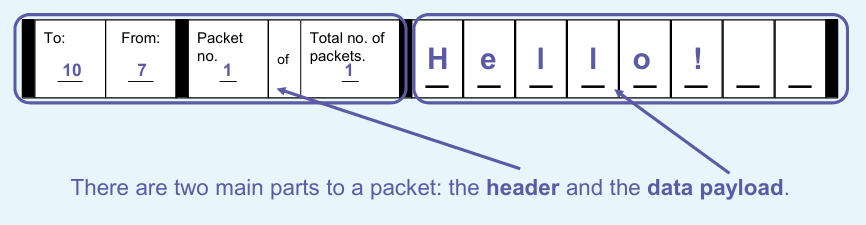
Computers send data across the internet in packets. This is a example.

4.
Data Transfer
The video below give a simple explanation of the sending of packets of information / data across the internet.
How the Internet Works – BBC. (1:45 minutes long)
5.
Parts of a packet
6.
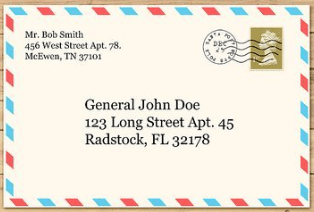
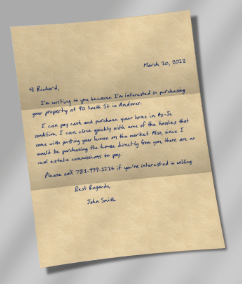
Data packets are similar to letters…
The envelope is like the header. It contains the address. The header also contains other key information, including the sender’s address.
The letter inside is similar to the data payload.
7.
The first two parts of the IP addresses in the header relate to the location of networks. If they are different, the devices are not on the same network.

8.
Packets of a message
Transferring media So far you have seen how messages can be transferred as data in packets. Everything that is transferred through the internet is transferred in packets.
Data you send or receive cannot fit in a single packet, so it is split into multiple packets, like this example of a message. The packet number and total number of packets is contained in the header.

Why are packets numbered? They tell the receiving computer the total number of packets it should expect to receive. If the message is incomplete, the receiving computer can send a notification back to the sending computer.
9.
This shows how data is split into multiple packets.
Each packet needs to be numbered, because each packet contains only a small amount of data. This enables the receiving computer to arrange the packets in the correct order.

10.
A Packet’s Tale. How Does the Internet Work? (3:25 minutes long)
11.
How Does The Internet Work? – BBC Click (4:44 minutes long)
(Advanced information…)
12.
Test your knowledge by completing the Quiz.

13.



This is the original lesson source:
(WordPress advertisements may appear below.)
 Best study methods