

Today, you are going to….
- investigate how to make a website with Google Sites
- choose a name for your website
- choose a theme for your website
- make the homepage header
1.
You are going to use a CMS to make your own website!
Can you remember what CMS stands for?

content management system
We will use Google Sites to make a website on….

2.
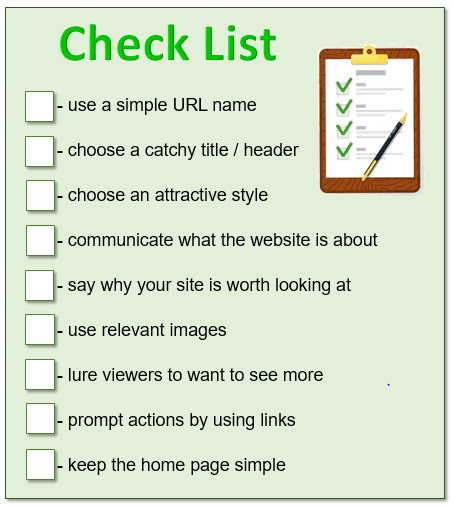
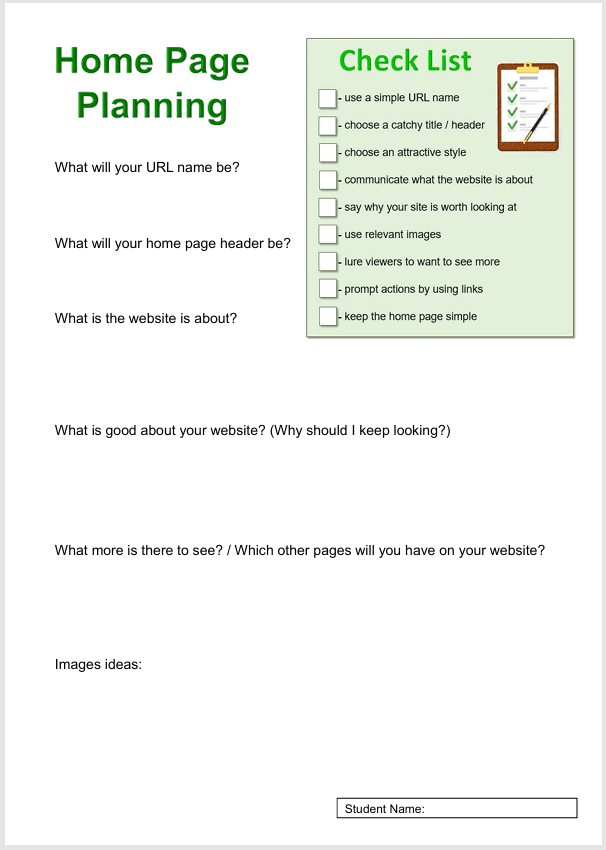
The following are important to keep in mind when creating a website and its home page:
3.
Below is a video that explains briefly how to use Google Slides.

Google Sites: Creating a Site. (2:22 minutes long)
4.
USING GOOGLE SITES
Creating an effective website with Google Sites all about clarity, design, and flow. Planning is very important. You are going to make the website, following the step-by-step instructions below.
STEP 1
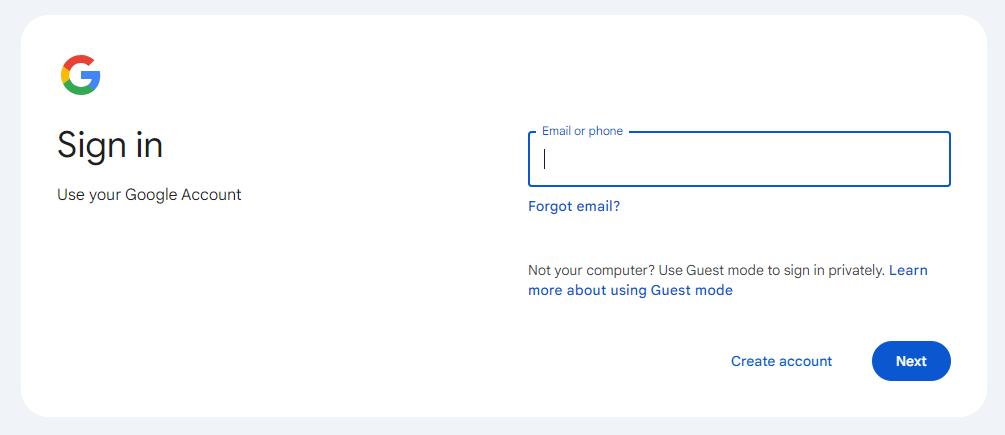
Sign into your Google account.
Click on this icon to sign into the account:
5.
STEP 2
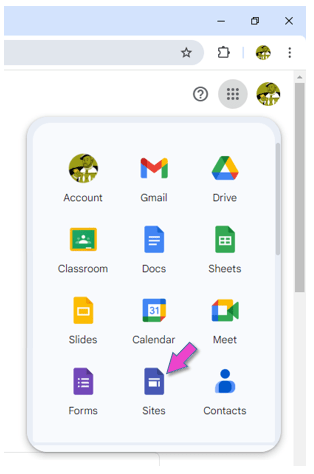
Open Google Sites.
6.
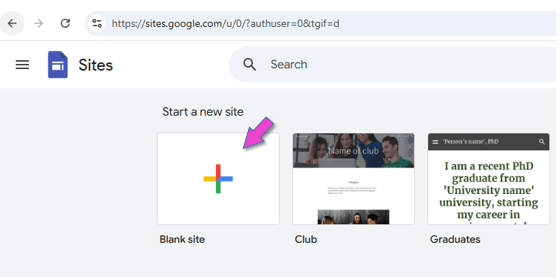
STEP 3
Click on BLANK SITE.
7.
STEP 4
Decide what your site a name will be.
How to choose a domain name…

Choosing a domain name is one of the most important steps when creating a website. Here are some key tips to help you pick the perfect one:
Keep It Short & Simple
Shorter names are easier to remember and type. Avoid long or complex words.
Use Keywords (If Relevant)
If possible, include keywords related to your WEBSITE (e.g., “MagicMayan.com”).
Avoid Numbers & Hyphens
They make domains harder to remember and type. For example: “Top-10-Reviews.com” vs. “TopReviews.com” (The second one is better).
Pick the Right Domain Extension (.com, .net, .org, etc.)
For example, “.com” is the most popular and easiest to remember. Also consider country-specific extensions (e.g., “.uk”, “.es”) if targeting a local audience.
Check Availability & Avoid Trademarks
Use a domain registrar to see if your name is available. Avoid names that are too similar to existing brands to prevent legal issues.
For interests’ sake, click on the link below to see if your chosen name has already been used as a domain name:

(We are just checking for interest sake, because your domain name will include “queenscollege” and will only be visible to people with Queen’s College google accounts.)
8.
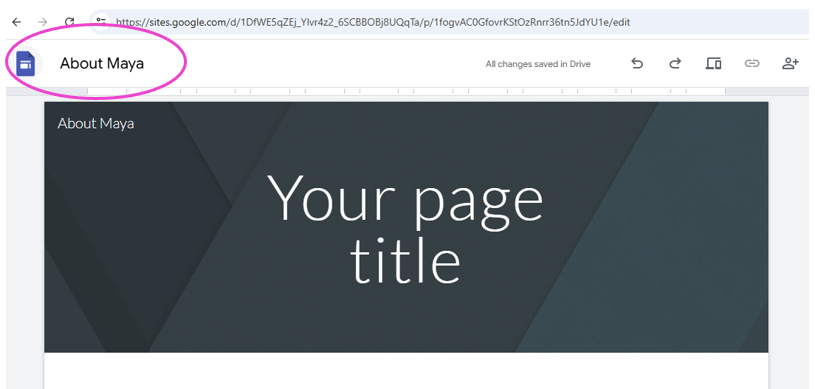
STEP 5
Give your site a name.

9.
STEP 6
Choose a theme for your website.
Google Sites: Themes & Page Design. (2:20 minutes long)

10.
STEP 7
Create the header for the home page.
Decide on a header (or title).
The header must show what your website is all about.
Do not assume visitors to your site know what the website is about. So, include a concise header on your homepage to communicate what the website is about.
Google Sites: Customizing the Header. (3:05 minutes long)

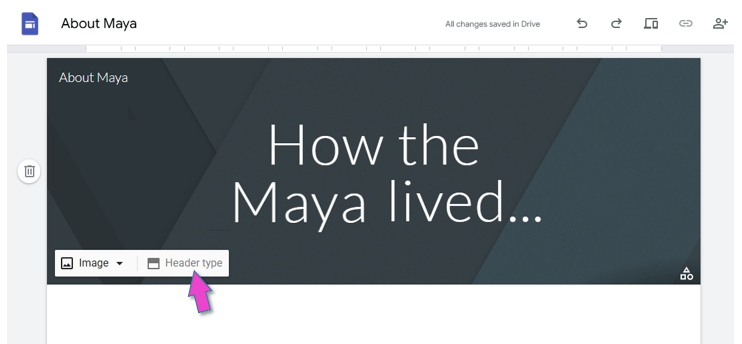
Insert the text:
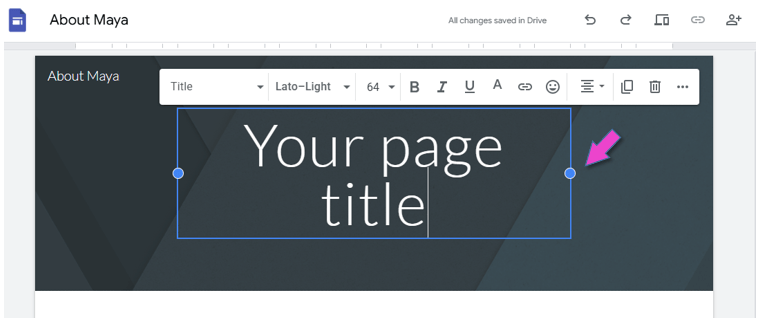
You can make the header bold or change the colour, size or font.
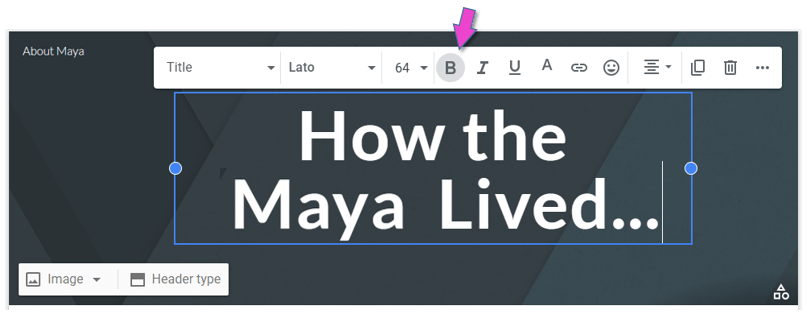
You can change the header type:
11.
STEP 8
Create the header image for the home page.
A header image can significantly improve the visual impact of your website! It is the first element that visitors see. So, your header image plays a crucial role in shaping the initial impression that visitors will have of your website. It can create interest, trust and engagement.
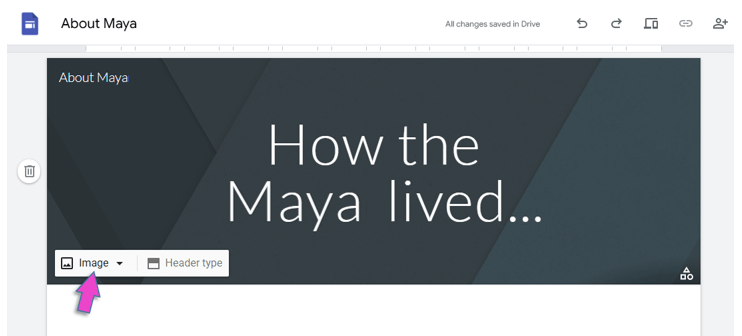
Insert an image in the header, as background:
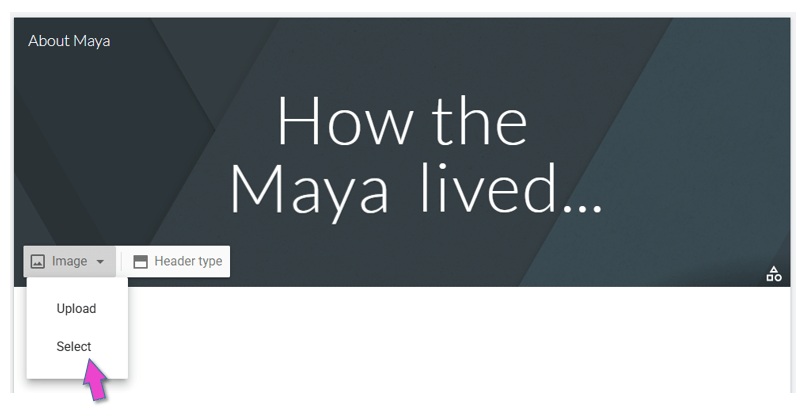
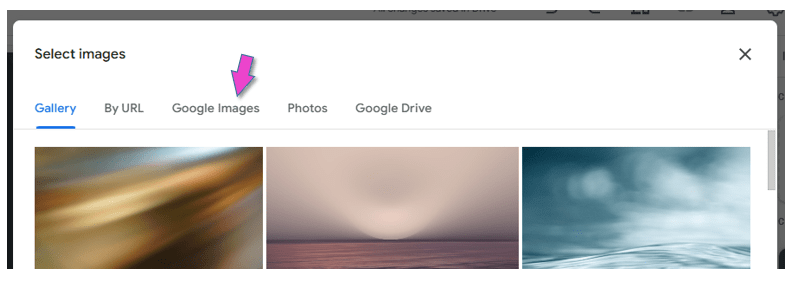
Search and select an image from Google:
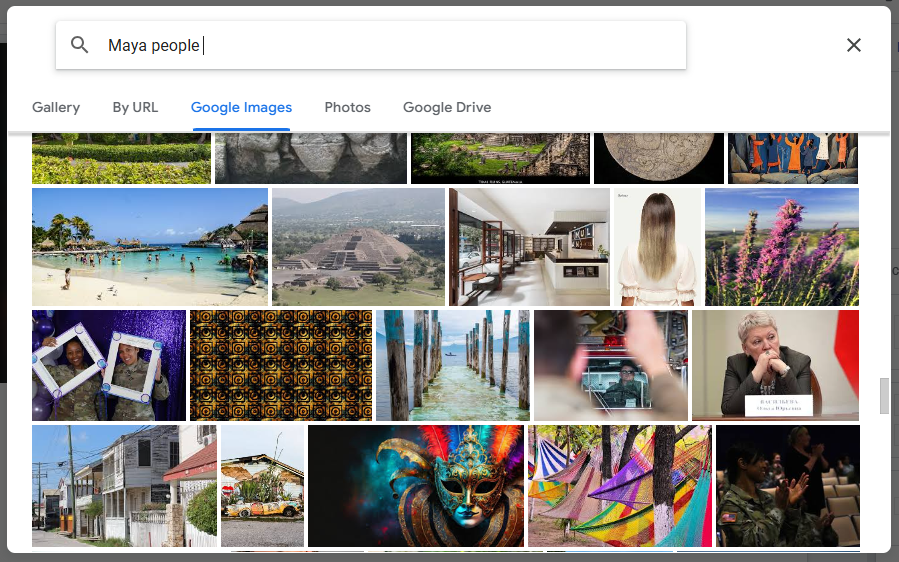

The title should be put in bold, because the picture is quite dark:
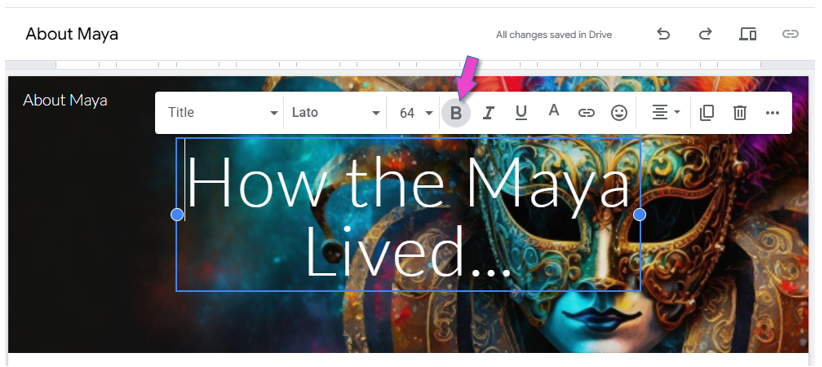
It is very important that you choose a readable font and color, that stands out against the background.


12.
Share your Site with me!

13.

Sign out of your Google account.
This is VERY important, because everybody can log into the computers in the ICT room with the primary password!!!
14.
You can now tick the first 3 boxes on your tick list!
15.
Use the worksheet to plan what next to put on your home page.

(WordPress advertisements may appear below.)
 Best study methods