
This lesson is based on teachcomputing.org lessons.

Today, you are going to….
- explain that in programming there are infinite loops and count controlled loops
- modify loops to produce a given outcome
- choose when to use a count-controlled and an infinite loop
- recognise that some programming languages enable more than one
process to be run at once
1.

In coding, a loop is a command used to repeat a part of code until the desired process is complete.
2.
Programmers can use infinite loops, and count-controlled loops.
Do you know what ‘infinite’ mean?
‘something that is infinite has no limit or end’
Let’s think of some examples of things that are infinite…
Sunrise & Sunset

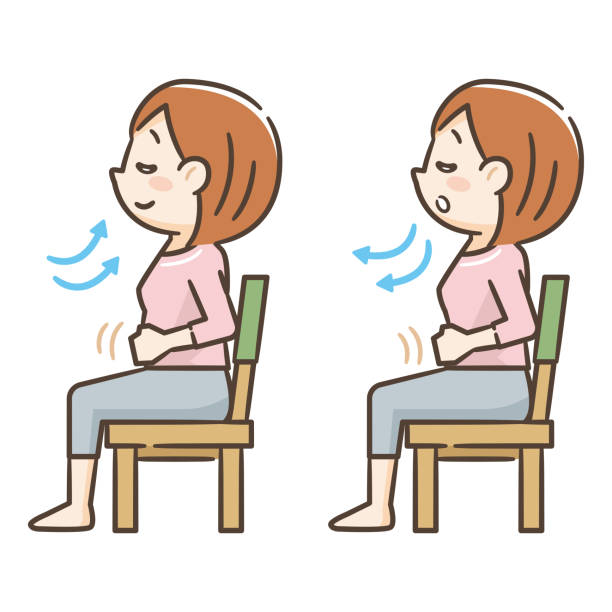
Breathing
Time
Can you think of any more examples of things that are infinite?
3.
Programmers can use infinite loops, where the commands within the loop are repeated over and over again, without an end point.
In Scratch, this is called the repeat forever block.
For example, in the code below, the sprite will keep changing to the next costume continually. This means it will keep changing the way it looks.

4.
Different types of repeats
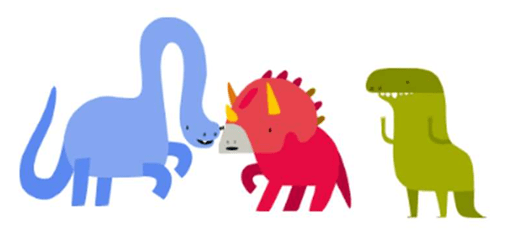
Look at the three dancing dinosaurs in this Scratch project.
What actions are they doing?
Click See inside to show the code for the three dancing dinosaurs.
Look at the blue dinosaur first. Click on the code for the blue dinosaur and carefully examine what actions it is doing, and how many times it does them. To stop the code, click on the red octagon next to the green flag.
Now, do the same for the green and the red dinosaurs.
How many times do they repeat the actions?
Have you noticed the repeat forever block inside the red dinosaur’s code?
What does it mean?
The actions will be repeated over and over again…
5.
Complete the ‘Dancing dinosaurs’ worksheet.
Use the ‘Dancing dinosaurs’ worksheet. Look carefully at what each dinosaur is doing in turn (on the sheet), and then fill in the sheet. Carefully look at the number of times these actions are repeated.
Have you noticed that the blue and red dinosaurs repeat forever, but the green dinosaur stops after a few moves?
6.
Different kinds of repetition…
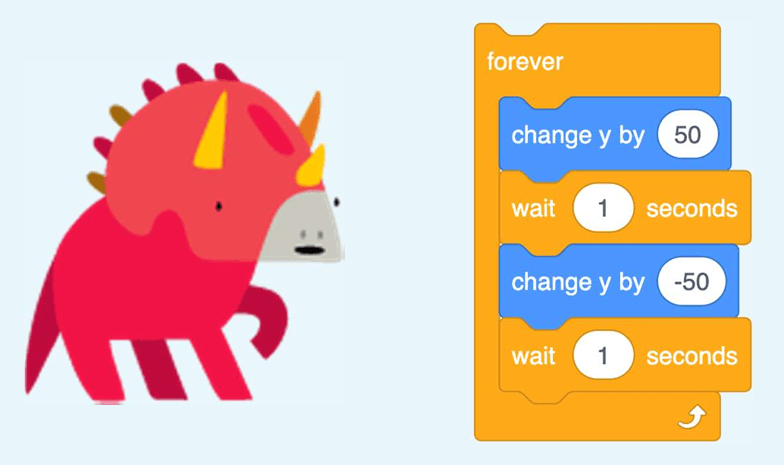
What kind of repetition loop does the red dinosaur sprite use?
How many times will the blocks inside be repeated?
7.
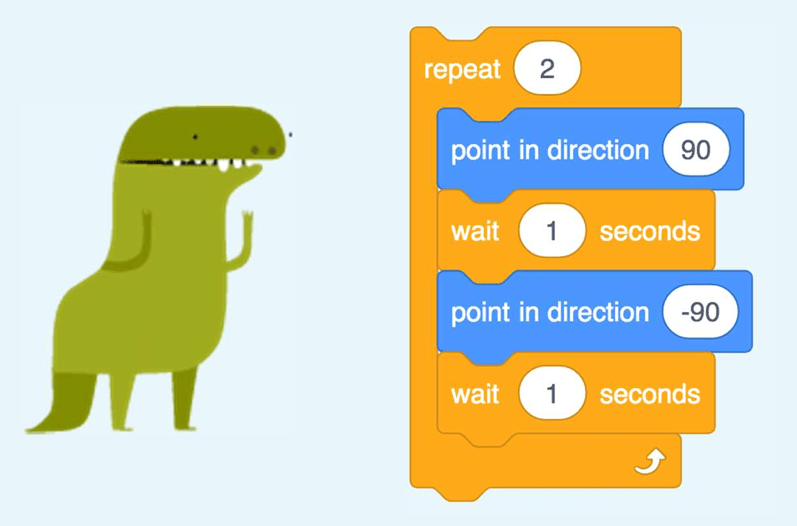
Why does the green dinosaur stop dancing?
What kind of repetition loop does the green dinosaur sprite use?
How many times will the blocks inside the loop be repeated?

The green dinosaur uses a count-controlled loop of repeat 2, rather than an infinite loop.
8.
Different kinds of repetition:

In an infinite loop, any blocks within the loop will be repeated over and over again without an end point (forever).
The count-controlled loop repeats the blocks for a set number of times.
(Programmers don’t use infinite loops very often because they can get stuck, and the only way to stop them is to close the program and start again.)
9.
Modifying the dinosaur code
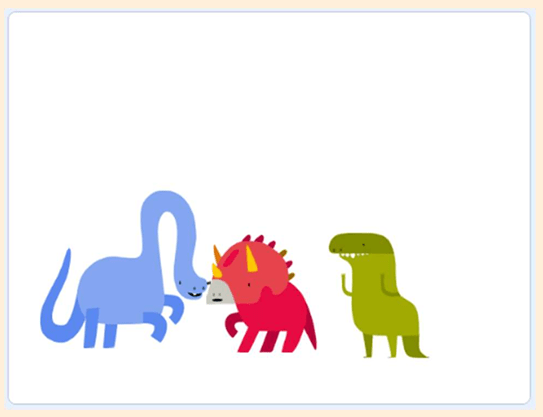
Let’s look at the dancing dinosaurs again.
Can we get all the dinosaurs to repeat their moves forever?
We need to modify the code for the green dinosaur. We need to swap the count-controlled loop for an infinite loop!
Here is a bit of guidance…

Watch the video (or look at a live demonstrate) how to move the blocks out of the count-controlled loop and into a forever loop.
Loop Changing. (0:30 minutes long)
Reference Costumes. (0:49 minutes long)
Modifying code — different kinds of loops:
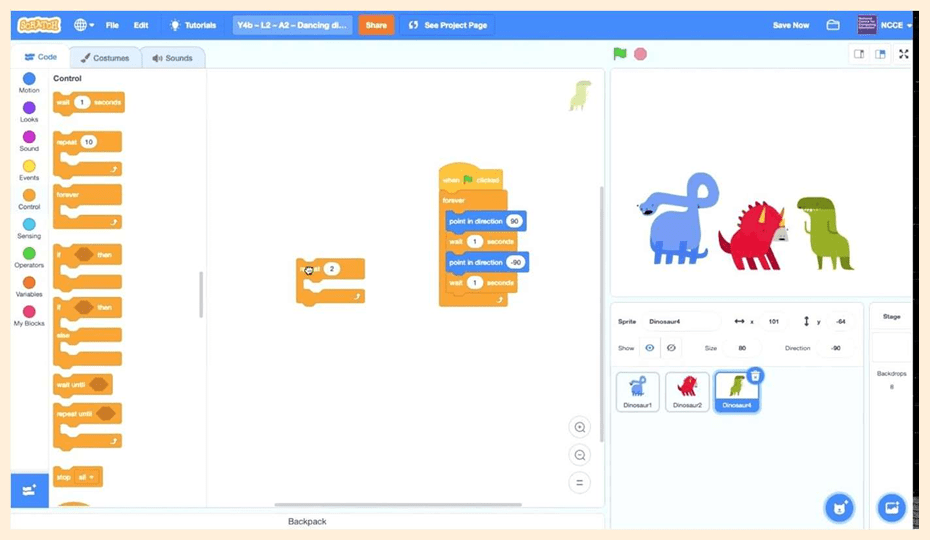
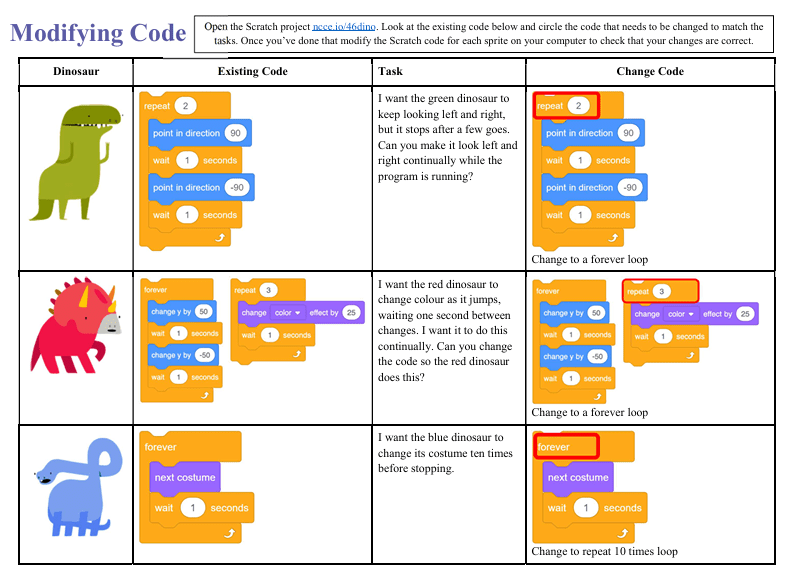
Use the ‘Modifying code’ worksheet to write down the algorithms, and then modify the Scratch code. (You need to circle the code that needs to be changed to match the tasks.)
Then modify the Scratch code for each sprite (using the “same “Dancing Dinosaurs” Scratch project used previously) on a computer to check that the changes are correct.
10.
Test your knowledge:
— Question 1 —
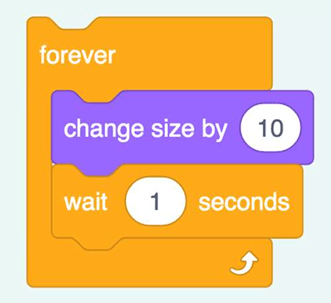
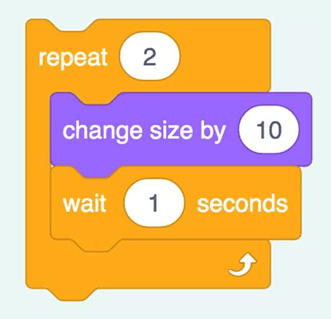
You want to make your dinosaur sprite a bit bigger and pause for a few times before it starts dancing. Which loop would you use?
Infinite Loop
Count-controlled Loop
ANSWER

A count-controlled loop would be more suitable, as an infinite loop would mean the character would keep getting bigger until it is too big to see properly.
— Question 2 —
You want to make a bird sprite fly backwards and forwards across the top of the screen. Which loop would you use?
Infinite Loop
Count-controlled Loop
ANSWER
An infinite loop would be more suitable, as it would keep the bird flying. A count-controlled loop would mean that the bird would fly a short way and then stop.
— Question 3 —
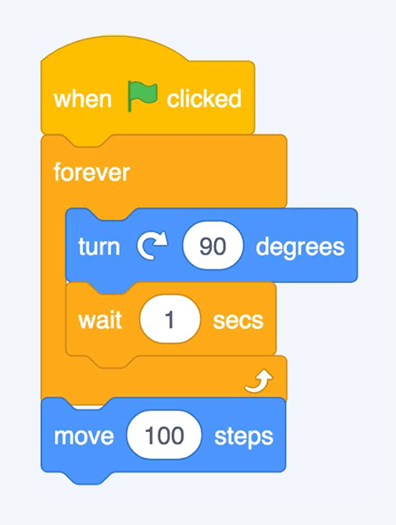
What is the problem with this code?
ANSWER
The move 100 block is outside the forever loop, so it will never be run.
— Question 4 —
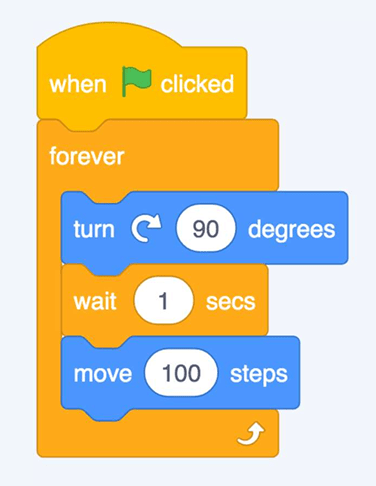
What will happen when the green flag is pressed?
ANSWER
The sprite will turn, wait, and move, and keep repeating the sequence, as all the blocks are within the forever loop.
— Question 5 —
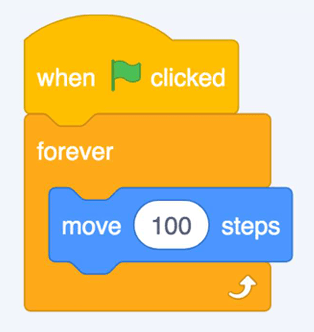
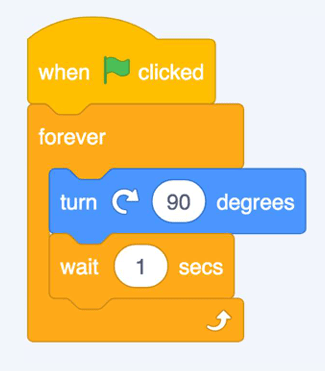
If there are two processes on the code area, what will happen when the green flag is pressed?
ANSWER
Both processes would be started, so the sprite would move and turn at the same time. (In Scratch, the green flag can be used to start lots of different things happening at the same time.)
11.

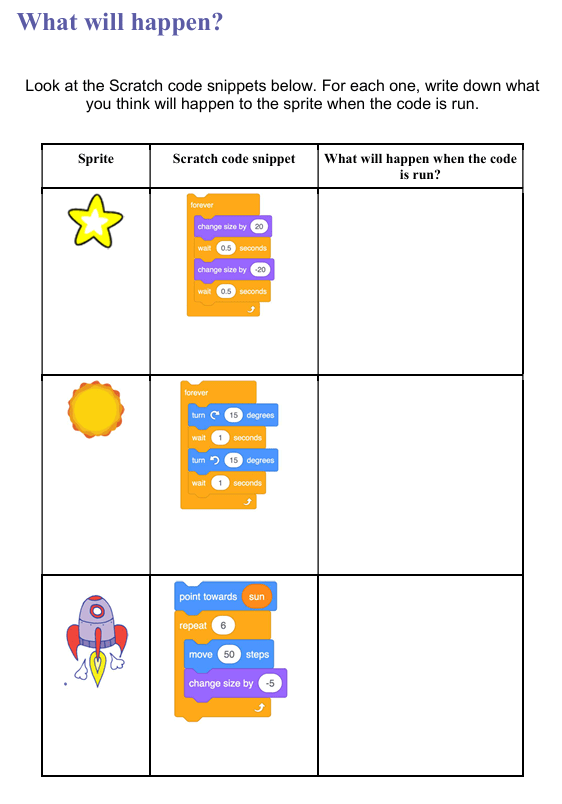
ANSWERS
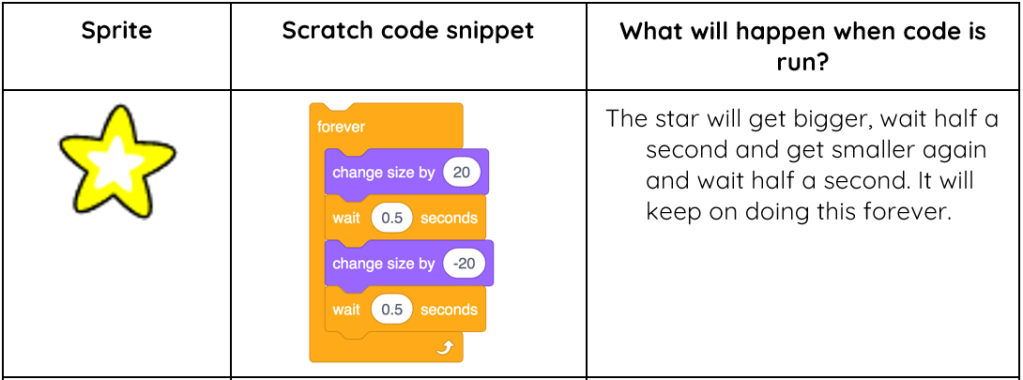
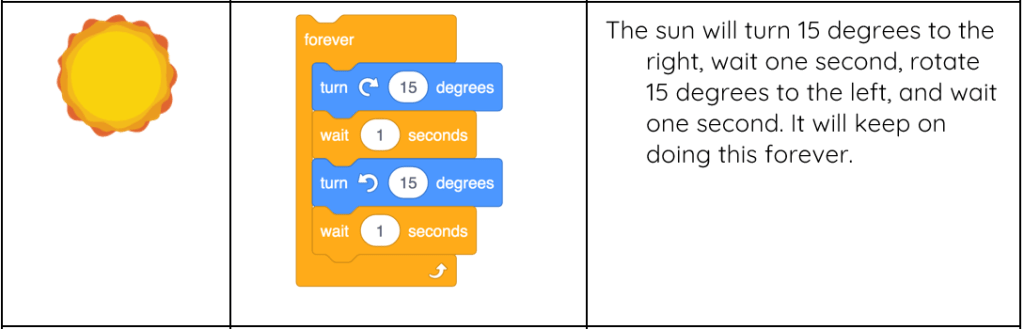
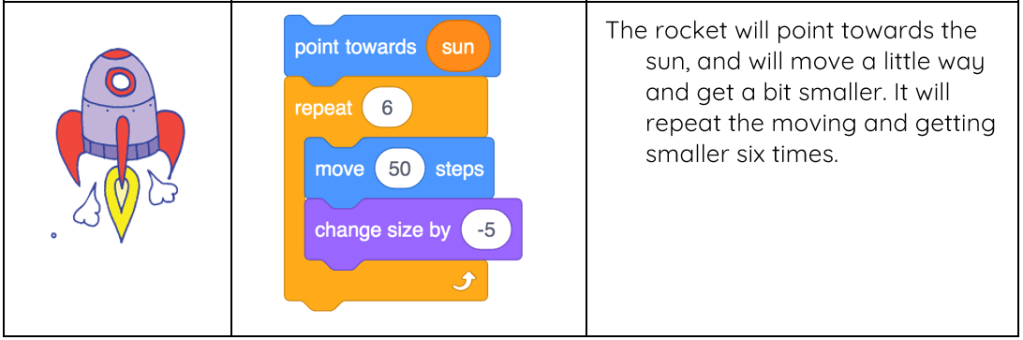
12.
Use this worksheet to create the codes in Scratch.
Access SCRATCH here.

This is the original lesson source:
(WordPress advertisements may appear below.)
 Best study methods