

Today, you are going to….
- continue making your website
- you are going to add more pages to your website
- each page also needs text and images
1.
Watch the video below to see how to insert more pages on Google Sites.

Google Sites: Creating & Managing Pages. (2:53 minutes long)
2.
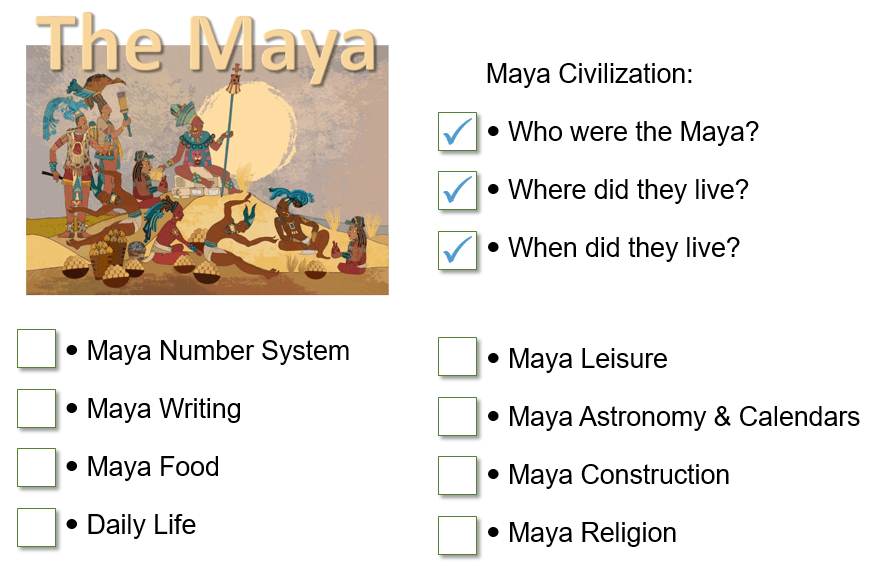
Consult your content planning sheet to recall which six categories about the Maya you will include in your website. (You used the sheet below to choose which categories you will include.)
3.

Use Google Sites to continue working on your website.
Sign into your Google account. Click on this icon to sign into the account:
4.
You need to use the panel on the right to insert additional pages.
Click on PAGES.
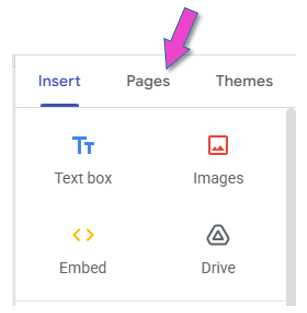
Then click on the plus sign.

5.
The text below could be useful when entering text to your webpages.
CIVILAZATION
NUMBERS
WRITING
FOOD
LIVING / DAILY LIFE
LEISURE
ASTROLOGY & CALENDARS
CONSTRUCTION
RELIGION
6.

Sign out of your Google account.
This is VERY important, because everybody can log into the computers in the ICT room with the primary password!!!

(WordPress advertisements may appear below.)
 Best study methods